
Decking calculator
Design your project and, in minutes, find out what materials you’ll need and what they’ll cost.
How the decking calculator works
Step 1
Set location
Enter the country and postcode for your project.
Step 2
Choose the installation type
The base determines the fixing system. There are three scenarios:
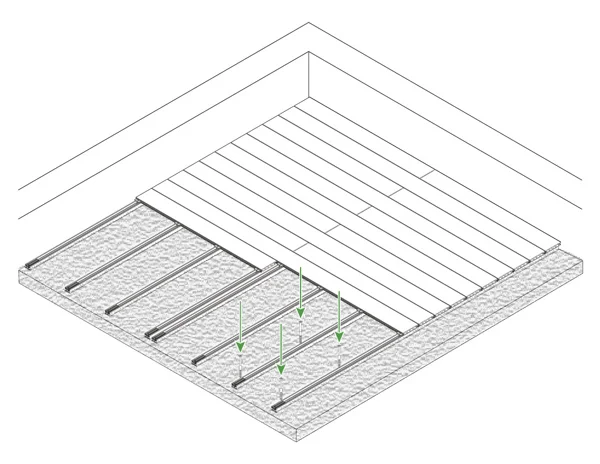
Level base
Joists screwed down, with full support. For regular concrete slabs or other rigid, continuous bases.
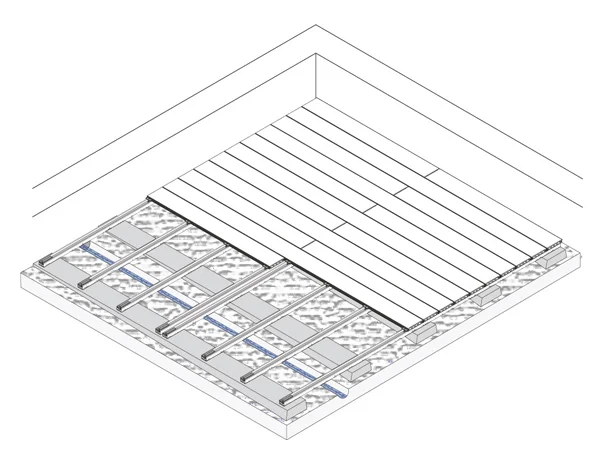
Uneven base
Joists screwed down, with partial support. For uneven concrete slabs or discontinuous bases.
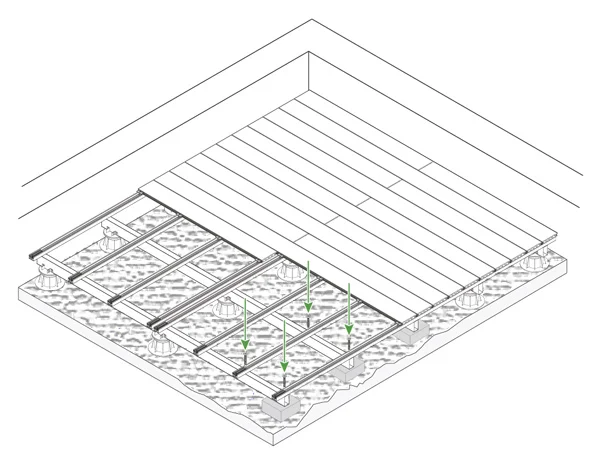
With a substructure
A free-standing frame at adjustable height. For when you can’t screw down directly, or you need to raise the level.
Step 3
Draw the area
Draw your deck point by point. Create, move, lock or delete points, and edit the dimensions at any time. The tool goes further:
- Exclude areas: free-form or circular, for pools, flower beds and other inner areas.
- Turn sides into curves: any straight side becomes a curve.
- Add steps: add and edit them wherever you need.
Step 4
Set the board direction
Choose one of the sides. This sets the direction the boards run, an aesthetic choice that changes the look of your deck.
Step 5
Select the complexity
The exact amount of material is never fully predictable: it depends on how complex the project is and how it’s built. So choose the complexity that best matches yours, using the recommended option and the notes on each as a guide. If in doubt, keep the pre-selected one.
Step 6
Choose the range and colour
Choose the board that best suits your space.
- CDECK Original®: 6 colours, in hollow or solid boards.
- CDECK WUUDE®: 5 colours, in hollow boards.
Step 7
Add finishing trims
You can fit edge trims on the exposed sides (those not against a wall or other fixed element) for a neater finish. Mark on the plan where you want each one. We offer edge trims in 46 mm and 92 mm and end caps for hollow boards.
Step 8
Get your quote
Fill in a few more details and get a cost estimate for your deck.
Frequently asked questions about the decking calculator
Yes, with no obligation. Run as many as you like.
No. Just run the simulation and get your quote by email at the end.
Any of them: computer, tablet, phone or TV.
Portuguese, Spanish, French and English.
A few minutes. Draw the area, choose the range and get your quote right away.
Yes. You can exclude inner areas like pillars or pools, turn straight sides into curves and add steps.
You can request a callback from our team or have your quote emailed to you.